

After the review
Public roadbooks
Publishing one of your roadbooks in the catalogue, the administrator's review, the catalogue by country in the Studio, the app and the website, downloading as RoadBook or GPX, copying into your library and reporting a problem.
Public roadbooks are roadbooks proposed by riders and organisers and approved by an administrator: you browse them by country, download them for free in the app (even without an account) and copy them into the Studio to adapt them.
Publishing a roadbook
In the Studio library, on the card of one of your roadbooks, press Publish. The window asks for:
- the version to publish (a saved version is always published, never the draft);
- title and optional description, in one or more of the five languages: readers see their own, otherwise another one with a notice;
- vehicle (motorbike, car and SSV, all), difficulty (easy, intermediate, challenging, expert), recommended seasons;
- up to 6 photos, optional (GPS position and camera data are removed);
- the licence: CC BY-NC-SA 4.0, CC BY-NC 4.0 or CC BY 4.0, with your confirmation.
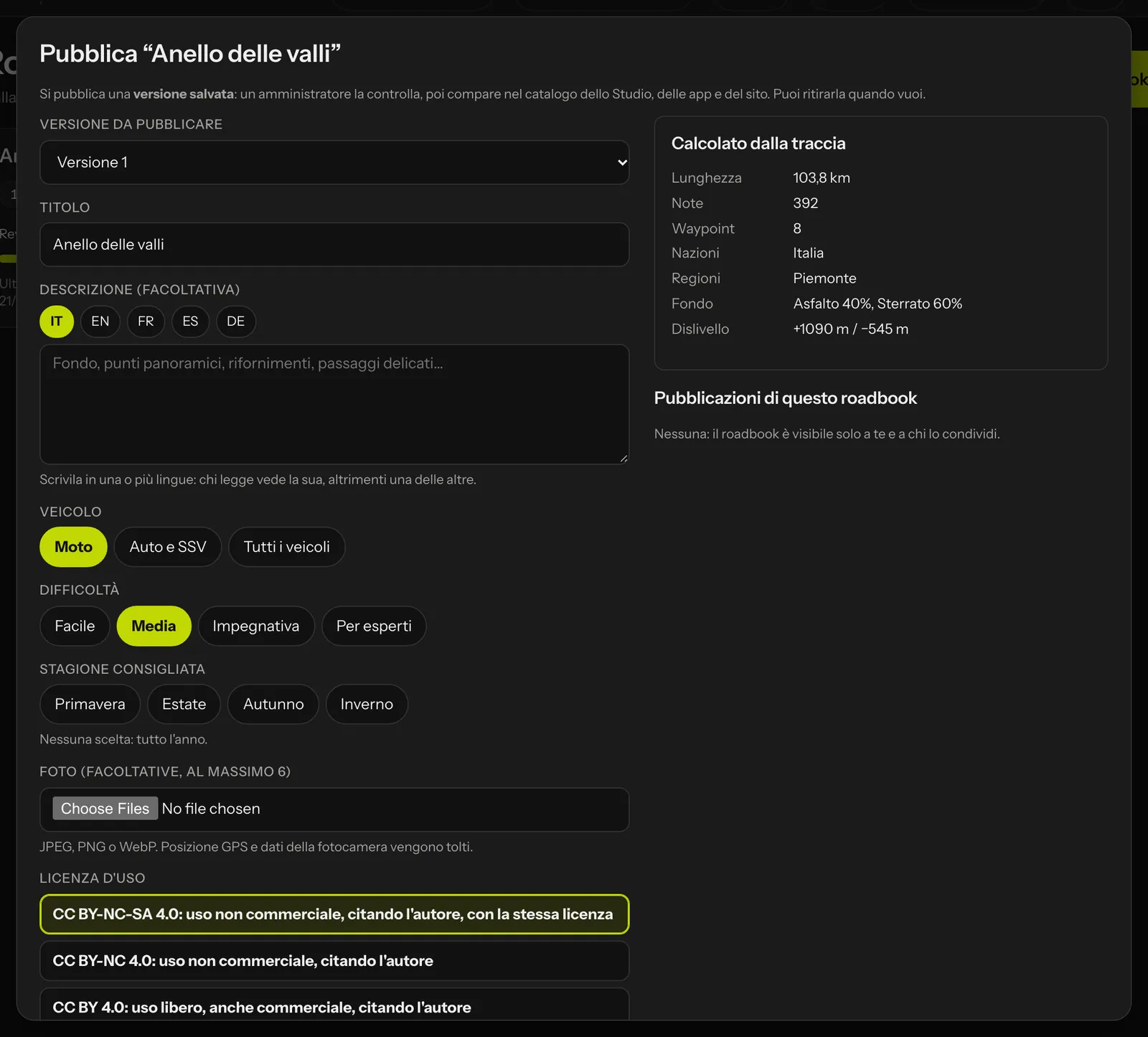 On the right, the data RoadBookAI calculates from the track.
Alongside, the data calculated from the track: length, notes, waypoints, countries and regions crossed with the km in each, surface as a percentage (tarmac, dirt road, track, read from the RoadBook notes), elevation and altitude. The proposal goes to an administrator, who approves it or rejects it with a reason; you receive an email in both cases.
In Public roadbooks › My published you see the status of each proposal, the reason for a rejection and the downloads (total and in the last 30 days). When you publish a new version, the previous one is replaced and the downloads move to the new one. You can withdraw a roadbook at any time.
The catalogue in the Studio
Public roadbooks in the Studio bar opens the catalogue, with filters for country, region, vehicle, main surface, km, difficulty, search in the title and sort order; next to it, the map of the starts.
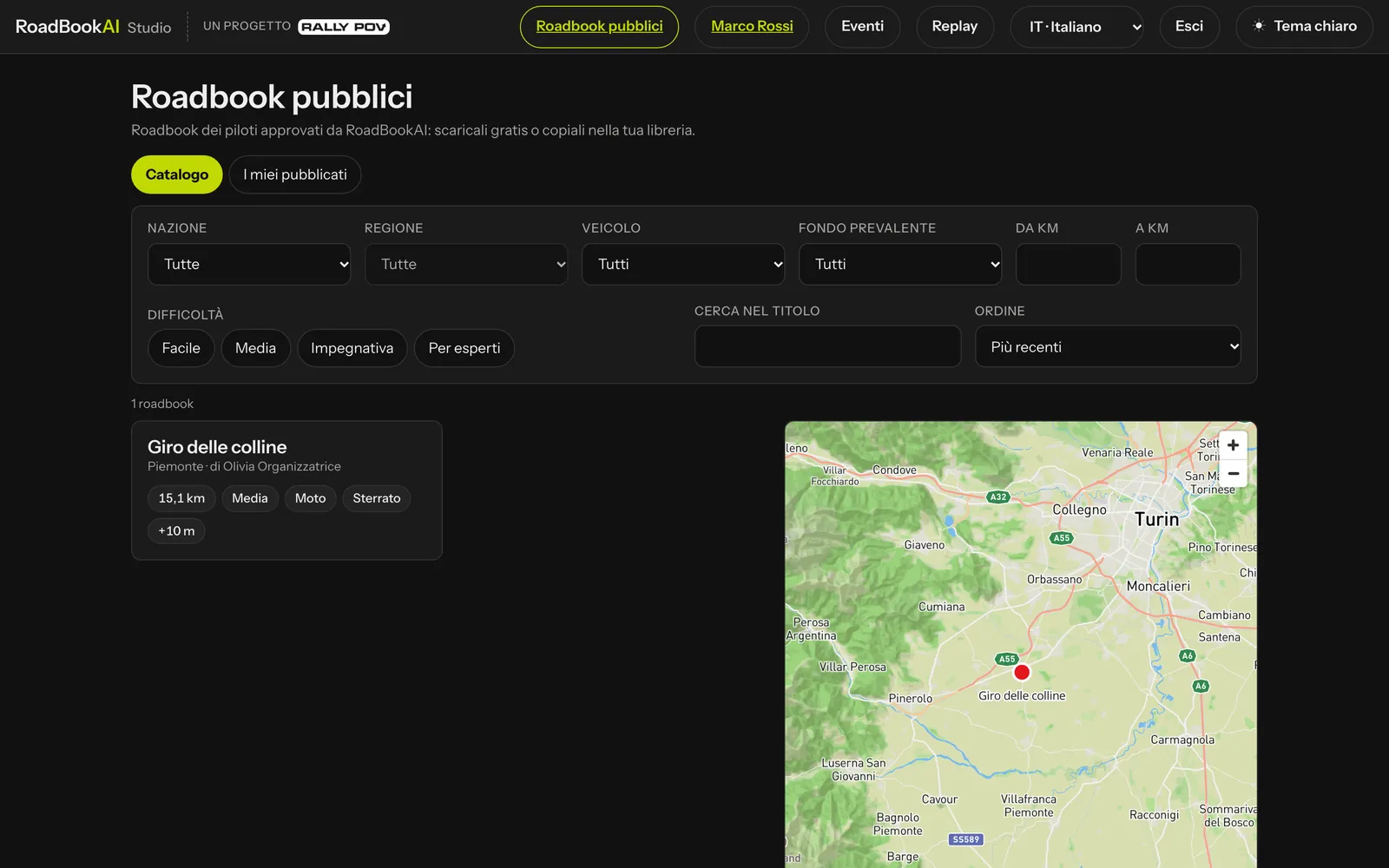 The catalogue: filters on the left, starts on the map.
The page of a roadbook shows the map of the track, the data, the description, the photos, the first notes of the RoadBook and the buttons:
- Download the RoadBook (the file for the app) and Download the GPX;
- Copy into my library: a new roadbook, version 1, that you edit as you like;
- Public page: the same page on the website;
- Report a problem: a closed road, a danger not marked, a no-entry section.
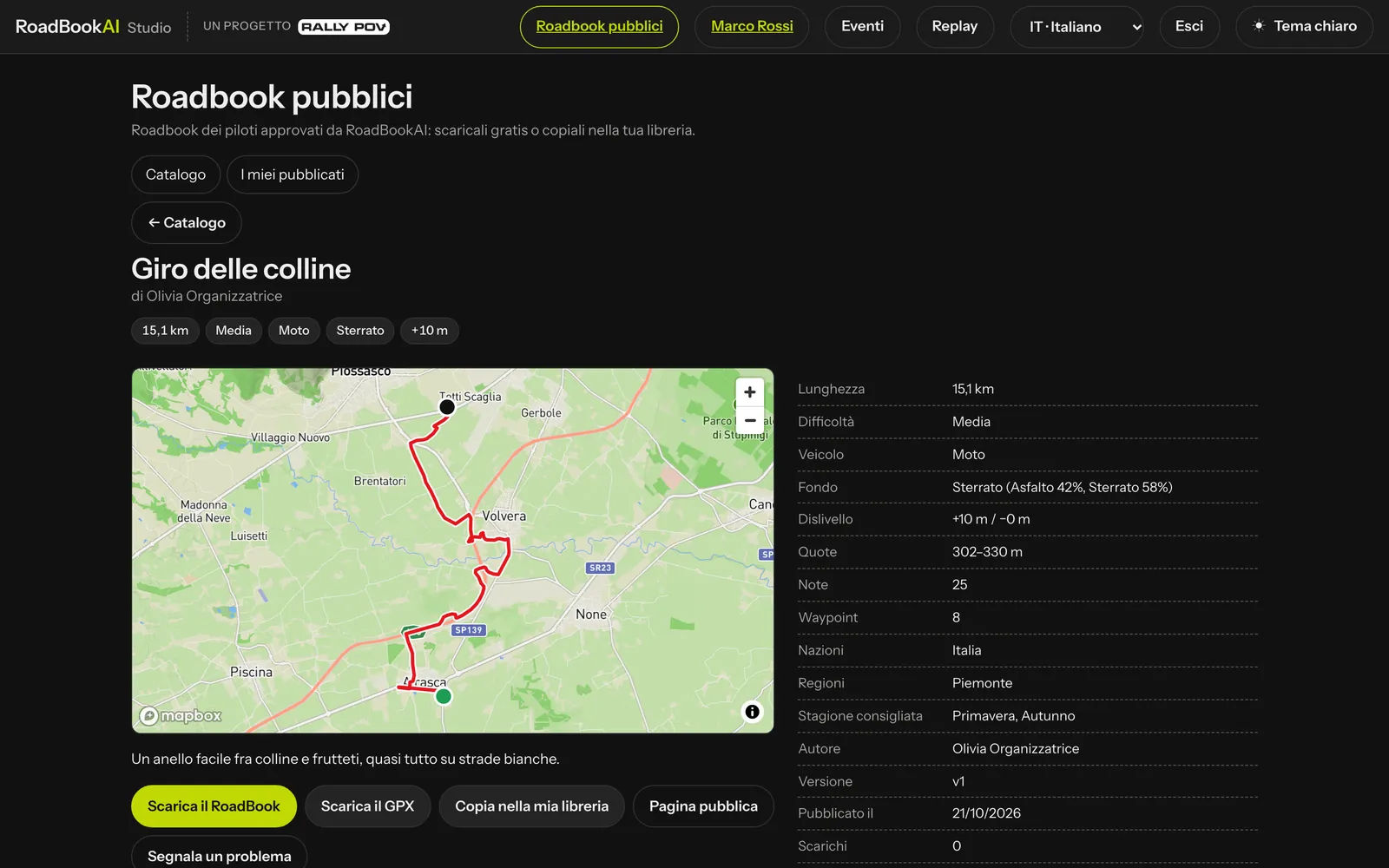 The page of a public roadbook in the Studio.
In the app
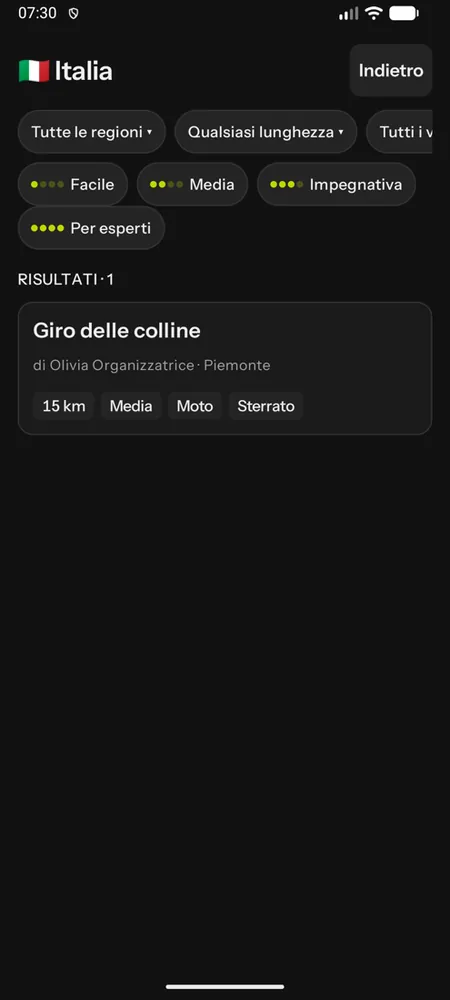
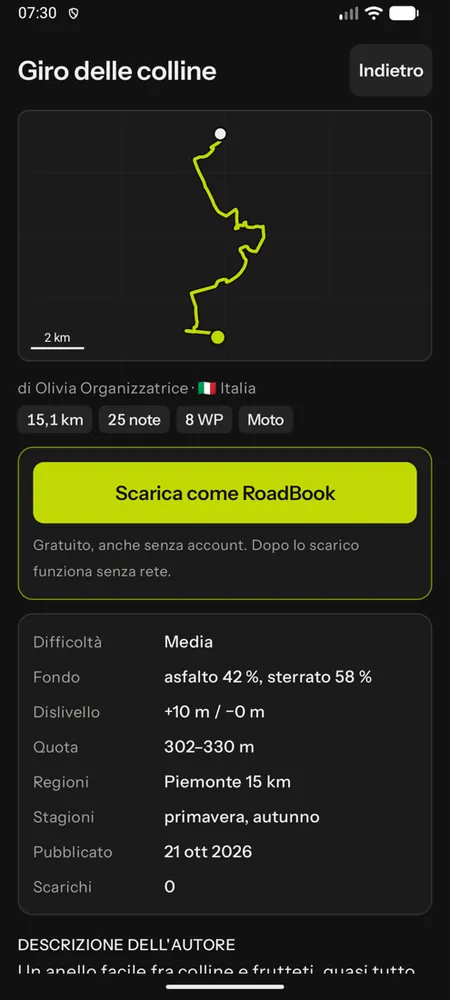
Public roadbooks on the home screen: the countries with their flags and how many roadbooks there are, then for each country the filters (region, length, vehicle, surface, difficulty, sort order) and the page with the simplified map of the track, the data, the description and the first notes of the RoadBook. Download as RoadBook puts it in the phone's library, even without an account, and from there it works offline like the others: Navigate, Training, Simulation, Recce, offline map and GPX navigation. Pages you have already seen can still be browsed offline.
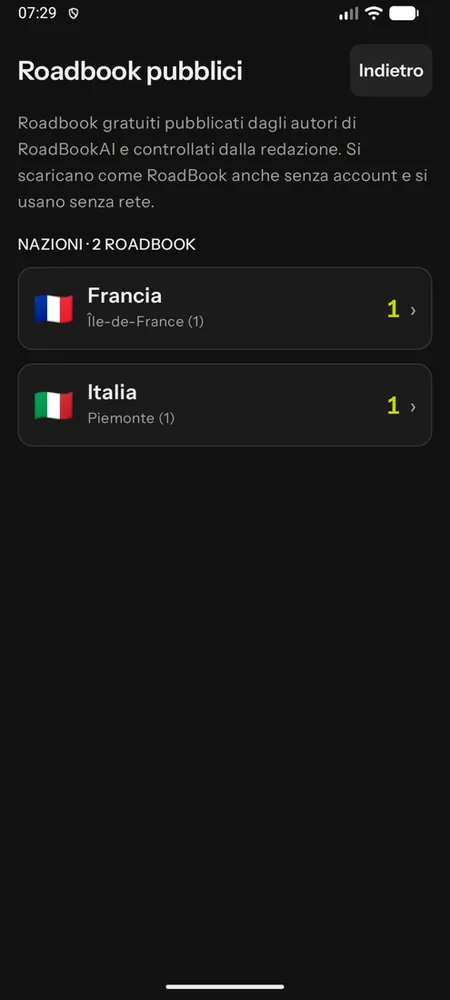
On the website
The catalogue is also on the website, in five languages, without an account: Public roadbooks, with a page for each country, the filters and a page for each roadbook with the static map, the data, the first notes, the photos and the downloads. These pages are designed to be found by search engines.
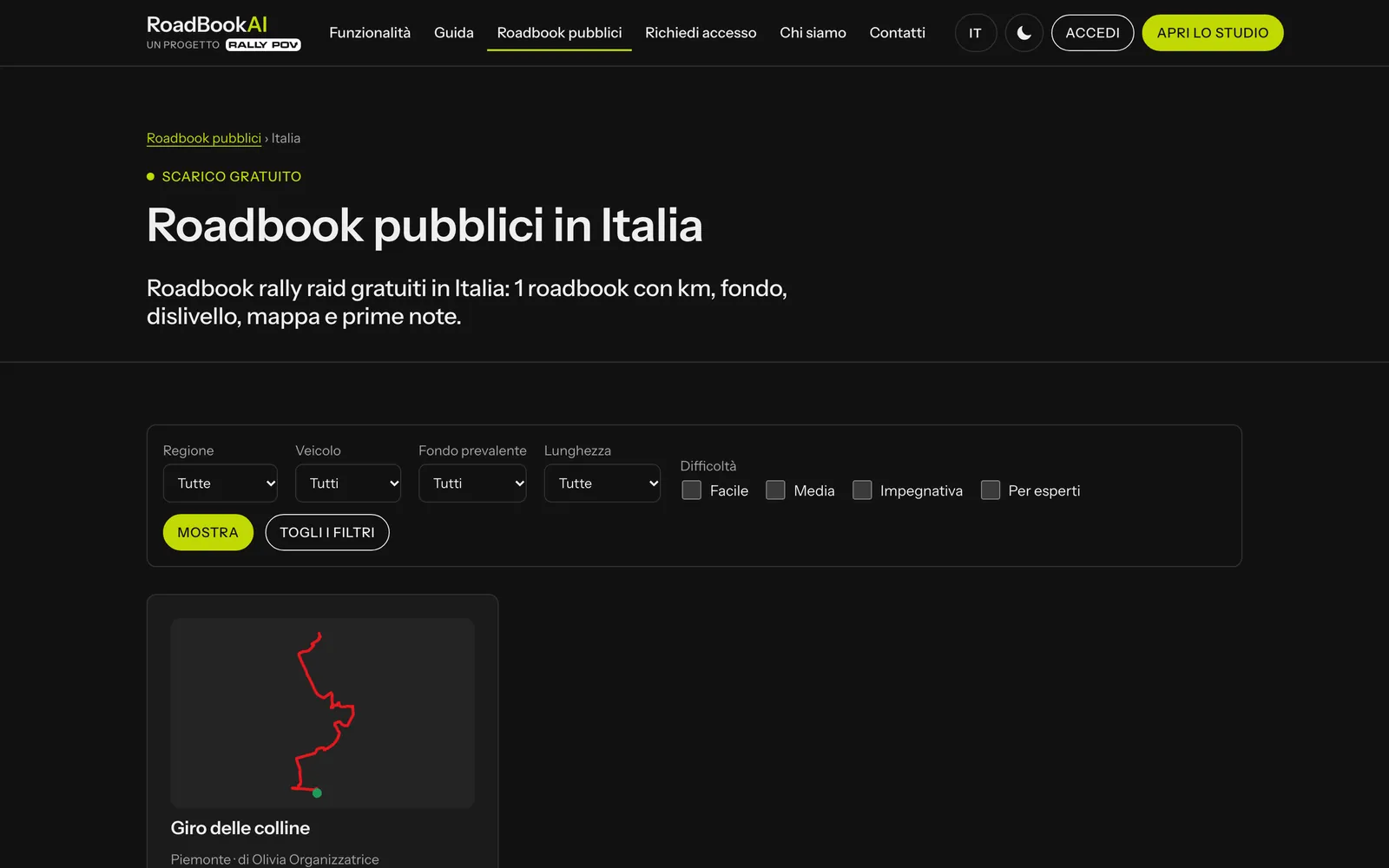 The public roadbooks of one country, on the website.
Moderation and reports
Administrators approve, reject and withdraw proposals and deal with reports: see Users and roles.
Map data can be incomplete and change with the seasons: a public roadbook, like any roadbook, should be ridden with care and confirmed on the ground.