

The rider app
The app - installation and sign-in
The RoadBookAI app for Android, iPhone and iPad - installing it, signing in with your Studio account, the home screen, My roadbooks, imported files, automatic data sending and privacy.
The RoadBookAI app is the rider's cockpit: it puts the RoadBook on the handlebars, navigates with the FIM rules, records the track and sends the data to the organiser or the tutor. It is the same app on Android and on iPhone and iPad, with the same controls, the same settings and the same words, in Italian, English, French, Spanish and German.
Installing it
| Android | iPhone and iPad | |
|---|---|---|
| System | Android 8 or later, phone or tablet | iOS 17 or later |
| Where to get it | Google Play (during the trial: by invitation, through the Google Play test) | App Store (during the trial: by invitation, through TestFlight) |
To receive the invitation, write to info@rallypov.it. The first time it starts, the app asks for location permission (needed to measure km and validate waypoints) and, only when you record a voice note on a recce, for the microphone. On Android it is a good idea to exclude RoadBookAI from battery saving (Settings › Device): some phones close apps in the background and the track would stop recording with the screen off.
Signing in with your account
Tap Sign in and use the same account as the Studio: email, password and, if you have turned it on, the two-step verification code. Without the phone with the authenticator app, use a recovery code.
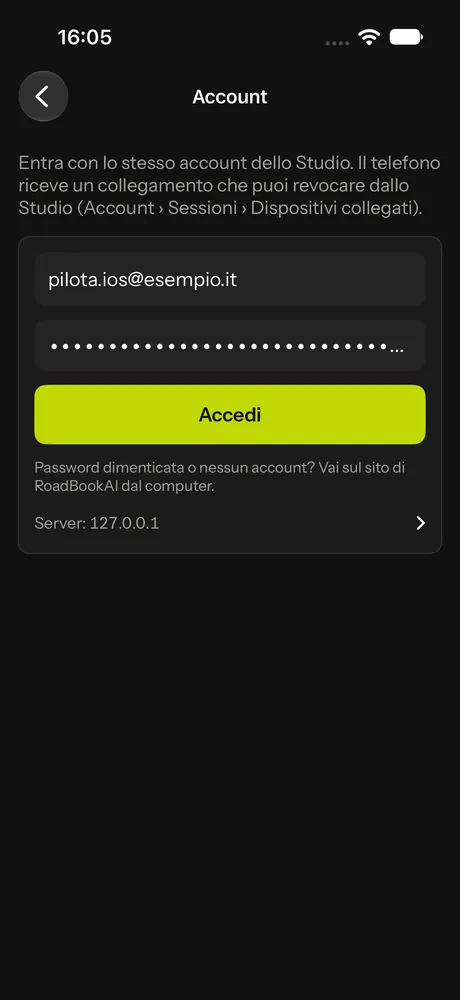
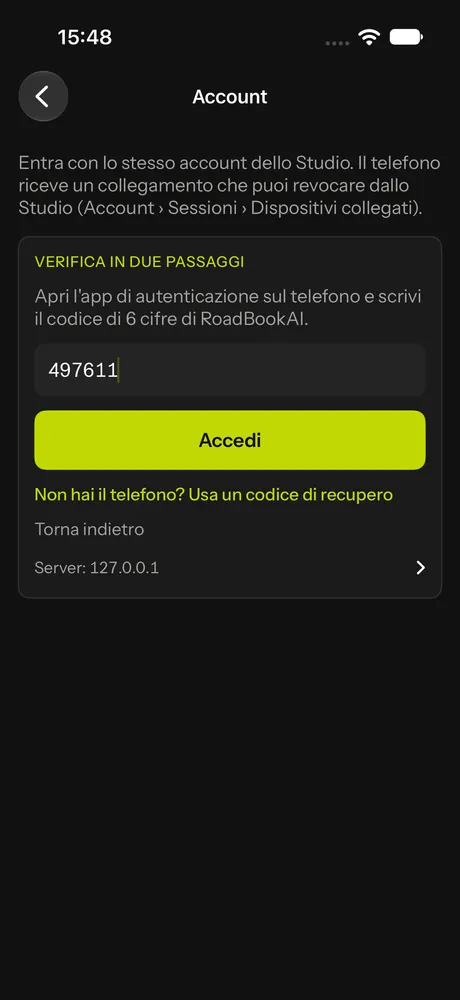
The phone receives a connection that lasts 180 days and renews itself when you use the app. In the Studio you will find it under Account › Sessions › Connected devices: if you lose your phone you disconnect it from there and the app immediately stops receiving your account's data (see Account and security).
The app also works without an account, with the roadbooks you import by hand and with public roadbooks. Without an account, however, your rides stay only on the phone: to send data to an organiser or a tutor you need to sign in.
The home screen
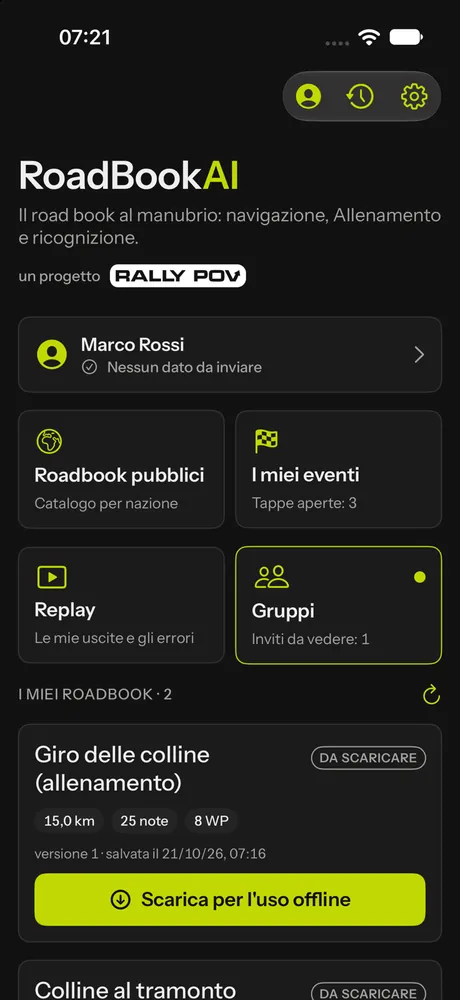
From the top:
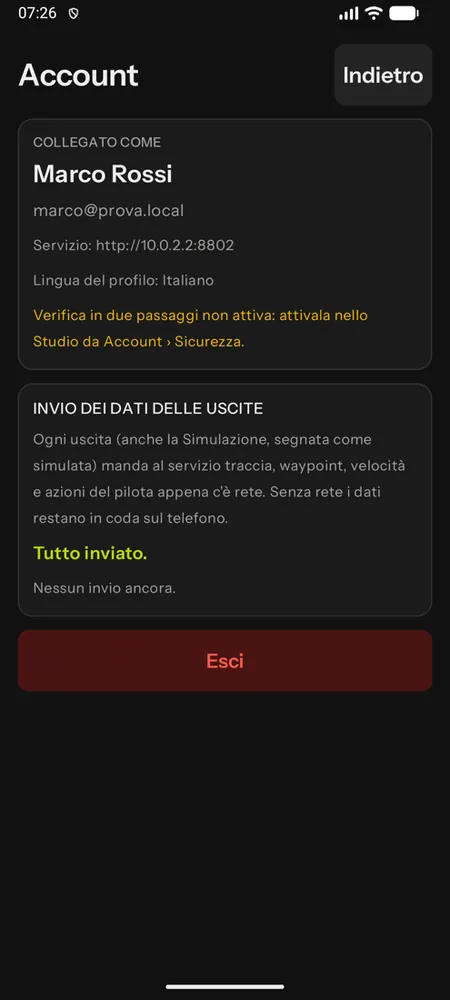
- the account panel, with the status of data sending;
- Public roadbooks: the free catalogue by country, even without an account (Public roadbooks);
- My events: the races you are entered in, with stages and start times (Racing with the app);
- Replay and Groups: your rides and training with your tutor (Training and replay);
- My roadbooks: the ones in your Studio account;
- the roadbooks imported on the phone, and the Import roadbook, From link and Free recce buttons.
At the top right, the History of your rides and the Settings.
My roadbooks
Every roadbook in your account (yours or shared with you) appears here as soon as you save a version in the Studio: tap Download and from then on it works offline. When you save a new version in the Studio, the app tells you ("New version 2 in the Studio") and Update replaces it. Pull the page down to refresh the list.
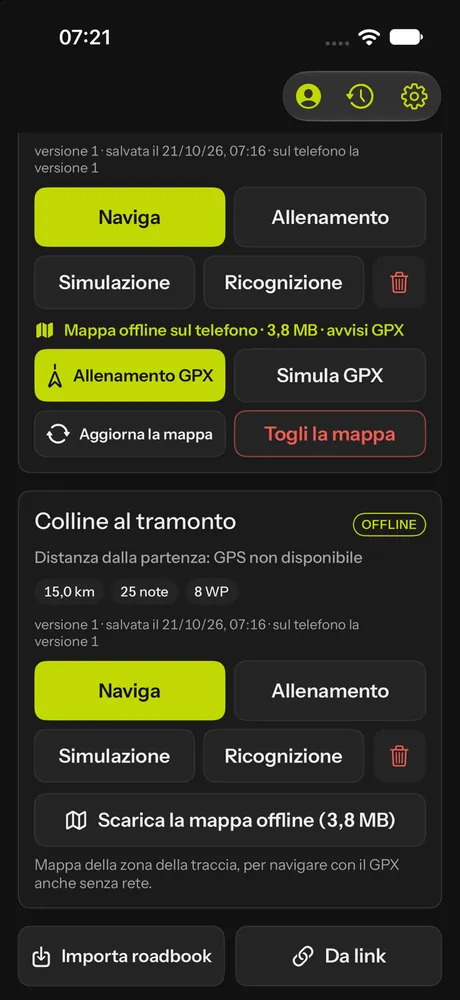
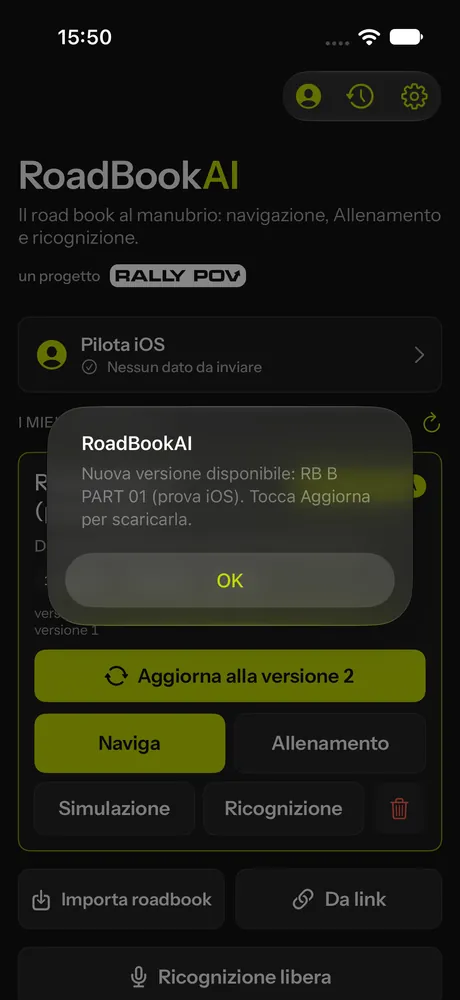
Each card shows km, notes, waypoints, range and distance from the start, and the ways to use it: Navigate, Training, Simulation, Recce; for account roadbooks and public ones also Download the offline map and GPX navigation (GPX navigation).
Importing a file
RoadBookAI files (.roadbook.json, exported from the Studio), OpenRally files (.gpx) and RoadBooks in PDF open even without an account:
- Import roadbook and choose the file;
- or, from another app (Files, Drive, WhatsApp, Mail, Messages, AirDrop), Open with › RoadBookAI or Share to RoadBookAI;
- or From link, pasting the address of the file.
The app confirms with the number of notes and waypoints. PDF RoadBooks have their own section in the library.
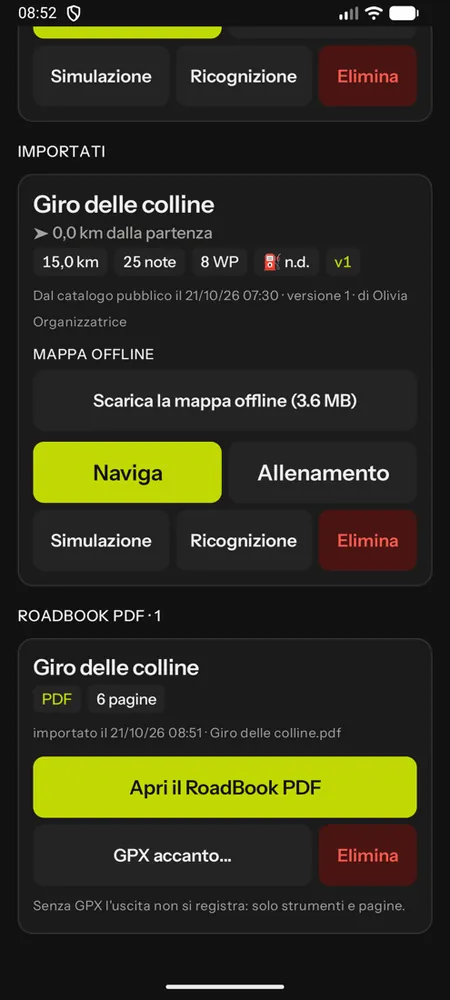 A PDF RoadBook in the library, with its GPX next to it.
With a RoadBookAI file the notes are drawn as vectors, like in the PDF Dakar; from OpenRally files the app shows the images contained in the file; a PDF is scrolled page by page, with the instruments (see Reading a RoadBook in PDF).
Automatic data sending
With your account connected, every ride (race stage, training, even simulation, marked as simulated) sends the track (one point per second), the waypoints, the engine's events (zones, dangers, GPS) and the rider actions to the service. The data is sent automatically as soon as there is a network connection: every 2 minutes during the ride, at the end of the ride, when the network comes back, even with the app in the background. Without a network it waits on the phone in a queue that loses nothing and duplicates nothing, even if the app is closed halfway.
The status is in the account panel and in the cockpit menu (Ride data); Send now forces sending. If you sign out of your account with data still queued, the app warns you: it stays on the phone and is sent when you sign in again with the same account.
Language
The app speaks the phone's language; in the settings you can choose another one among Italian, English, French, Spanish and German. With an account the choice also goes into your profile: the Studio and emails speak to you in the same language. Voice announcements use the phone's voice in that language. The roadbook abbreviations (FRO, FPP, Qᵀ, ET…) stay international.
Privacy
- Location is used only during a ride you start yourself; the microphone only on a recce.
- Roadbooks, tracks, audio and photos stay on the phone and go to the service only with your account connected, for the use you have chosen: the organiser of the event you are entered in, the tutor of the group you have joined, your replay.
- Race stage roadbooks stay encrypted on the phone and are deleted after the stage.
- Rides in Simulation are marked as simulated and never count.
- The data sent are signed by the phone, so the service knows they come from your app.
- Race data are processed jointly by the organiser and M@trix and are kept for 3 years from the end of the event; training rides until you delete them. The details are in the Privacy page.
iPad and tablets
On a tablet the cockpit works in portrait and landscape, with more notes visible. A phone and a tablet can work together for the same rider: one main and one backup (Settings › Device); both record, for the race the main one counts.
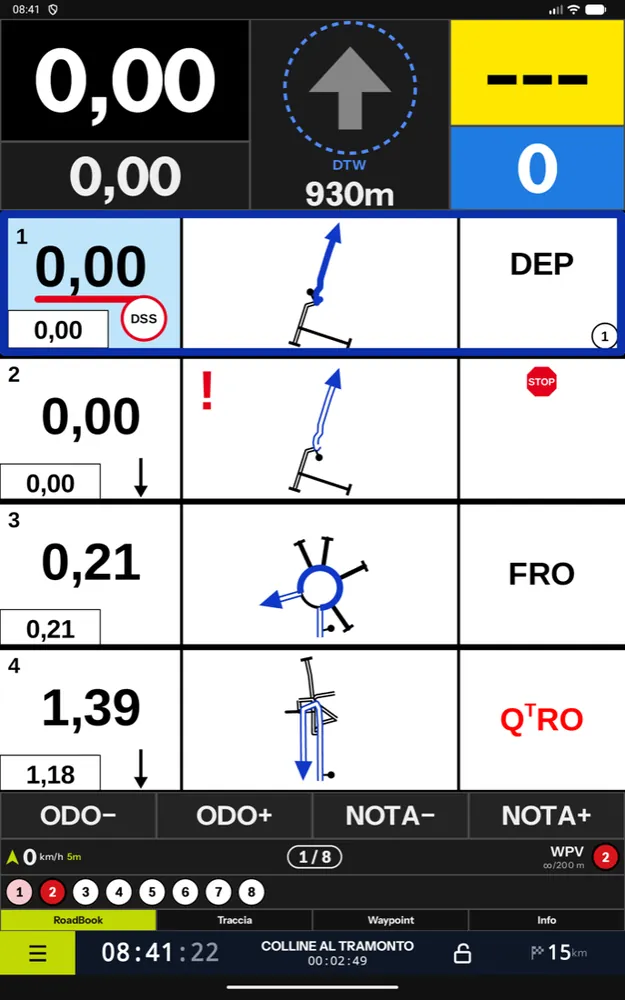
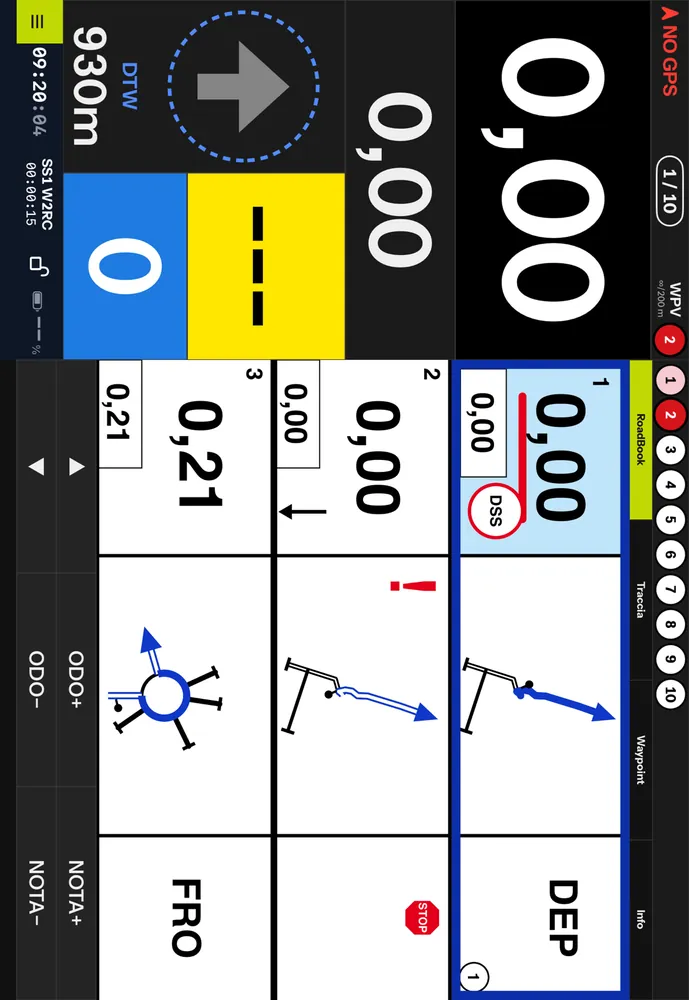 The cockpit on iPad, in landscape.