

Organising an event
Race, live and results
For the organiser and race control - the live map with rider status and alarms, stage and overall results calculated by the service, provisional and final, manual corrections and decisions for everyone with their log, unlock codes, the rider report and the public pages.
During the stage the apps send their position every 10–30 seconds when there is a network connection, and the full track in batches every two minutes (and in any case at the end of the stage: without a network the data waits on the phone and is sent automatically as soon as the connection is back). The service recalculates results and penalties from this data with the stage rules.
Race (live)
The Race (live) tab opens one hour before the first start. Choose the stage: on the left the map with the roadbook track and the position of each rider, on the right the list with number, name, class, navigation (RoadBook or GPX), km ridden, speed, last waypoint and time of the last data.
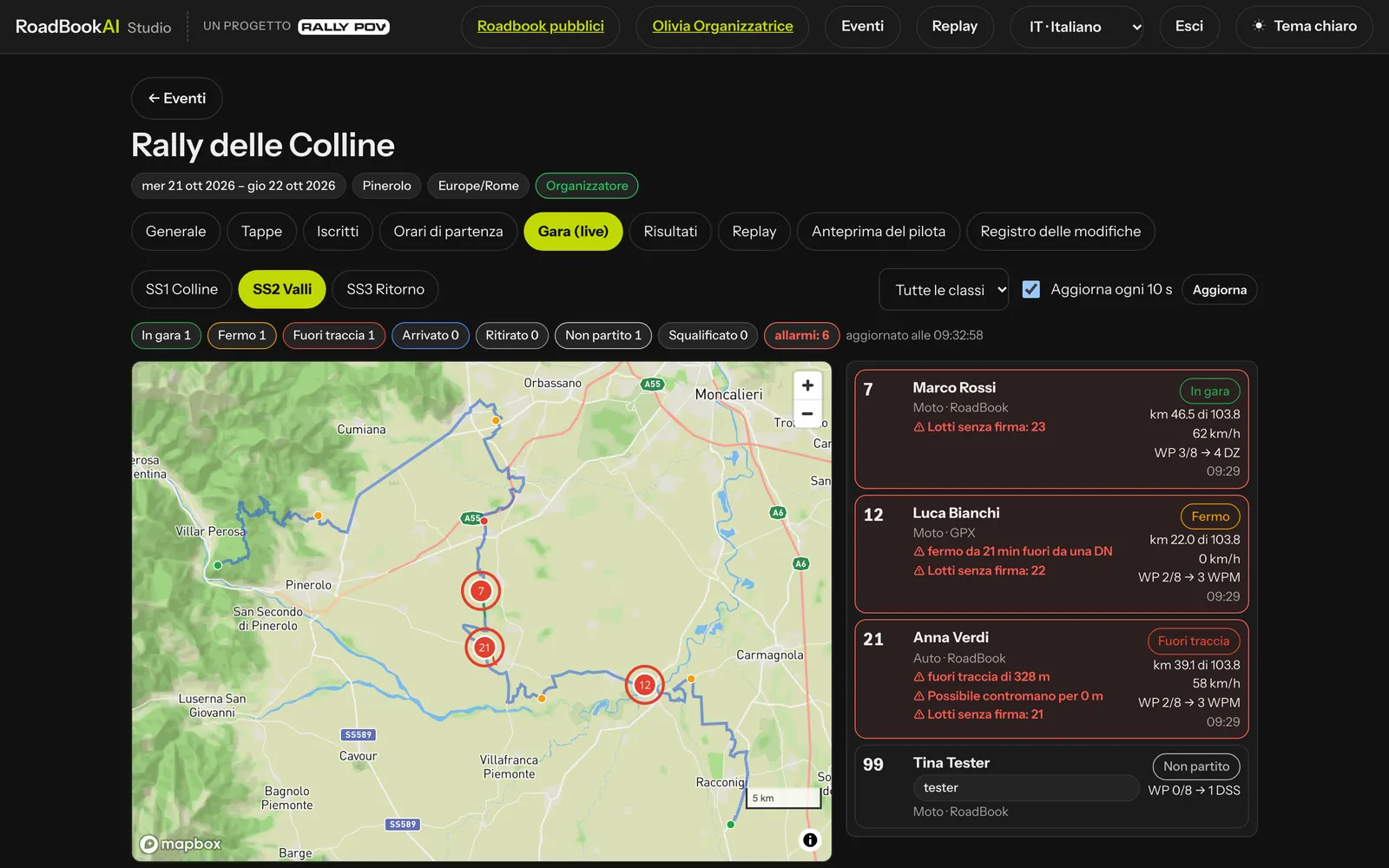 Alarms sit at the top of the list, highlighted in red.
The statuses are Did not start, Racing, Stopped, Off course, Finished, Retired, Disqualified. At the top are the counters by status and the race control alarms: a rider stopped for a long time outside a neutralisation, off course beyond the threshold, without a signal for too long. With Refresh every 10 s the page stays live; the class filter helps when there are many riders.
Results
The Results tab has the overall classification and the classification of each stage, by class and by type (RoadBook and GPX are separate categories).
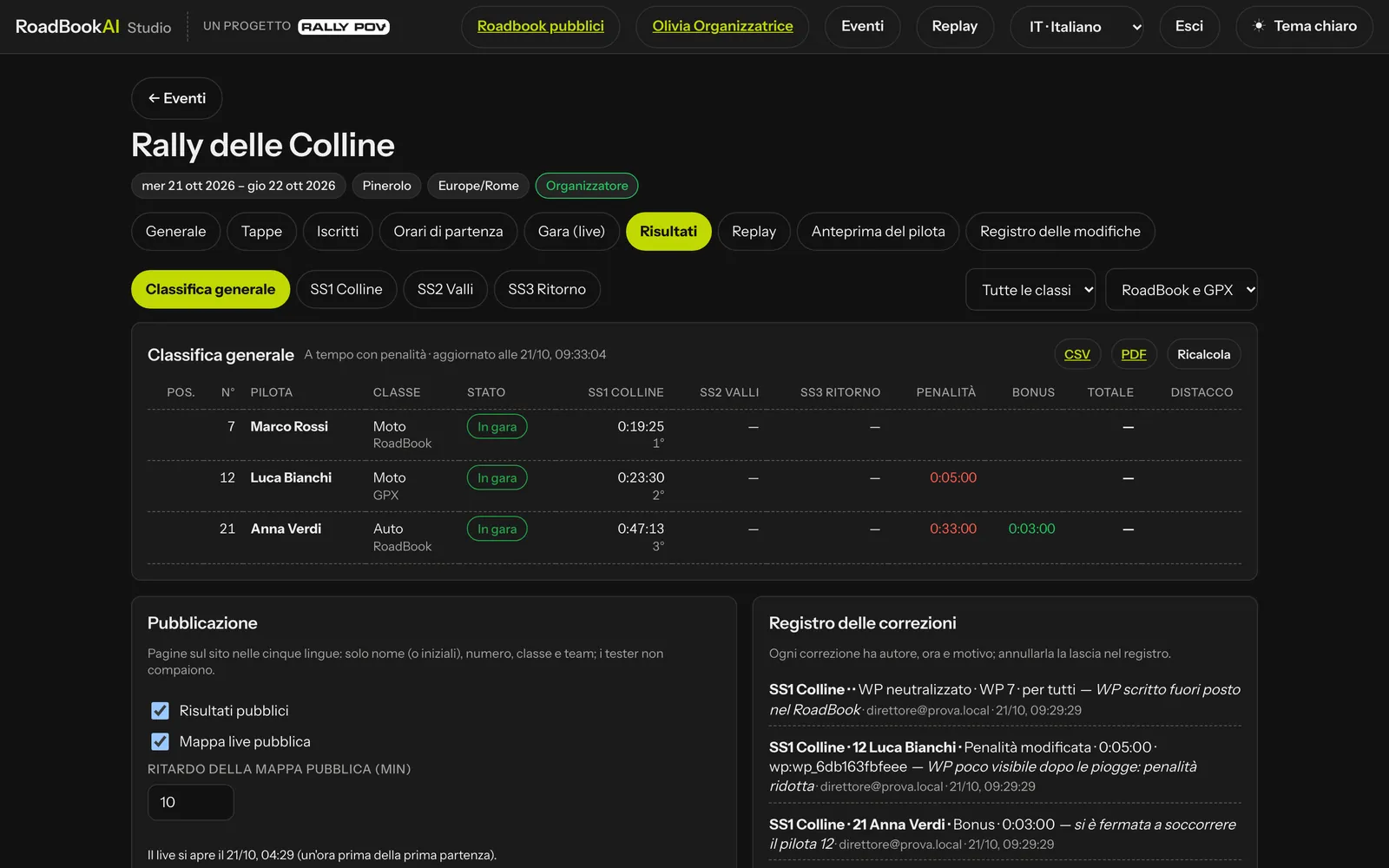 The overall classification, with the public pages and the corrections log.
The stage classification shows for each rider status, time, penalties, bonus, total, gap, missed WPs, speed pulses, LateNote episodes and whether the run was checked by the marshal. Testers are at the bottom, excluded from the classification.
Provisional and final
Every stage classification starts out provisional. Post the provisional standings fixes the time of posting and opens the time for protests (Protests until…, 30 minutes by default in the rules); when the time is up, Make final. With the final classification the report opens to the riders, if you have chosen With the final classification. A decision taken afterwards recalculates it: always check the status next to the stage name.
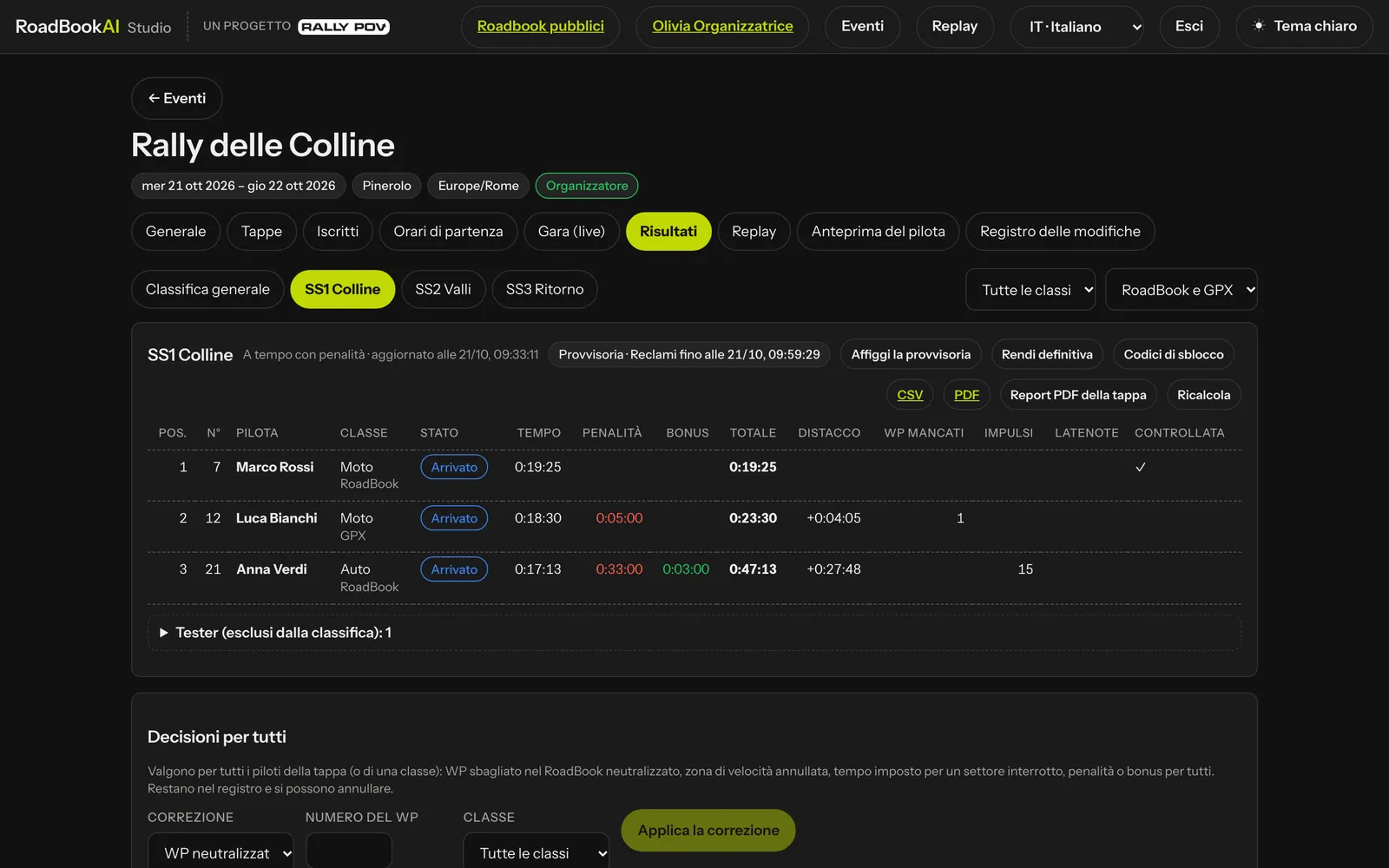 The stage classification: click a rider for the details.
A rider's details (one click on the row) explain everything: assigned time, start and finish, time, penalties and bonus, the GPS points and the devices they come from, the map of the track, every penalty calculated by the system (the missed WP with the distance at which they passed, the speeding episode with the limit, the peak and the pulses, the race STOP, the early exit), the waypoints one by one, the stops, the anomalies and the rider's actions in the app. From here Open the replay takes you to the same moment in the replay and PDF report downloads the rider report (once the stage is closed).
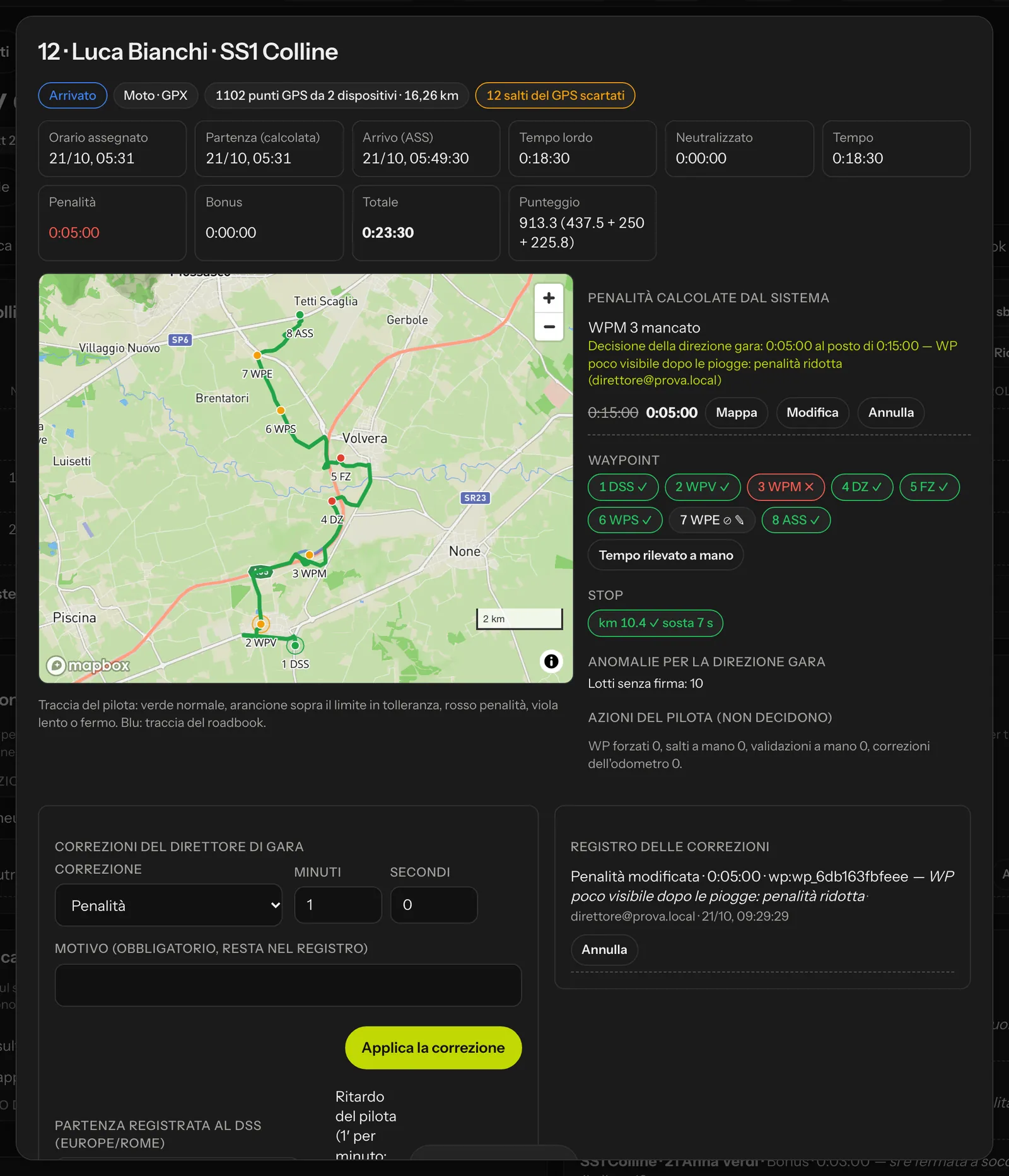 A rider's details: the calculated penalty struck through and the one decided, with the reason.
CSV and PDF export the classification you are looking at, Stage PDF report all the rider reports in a single file; Recalculate runs the calculation again (it happens automatically anyway when new data arrives or when rules, versions, start times or decisions change). Unlock codes shows the stage's WPM and emergency codes, to be given only to the rider who asks for them: each use costs the penalty in the regulations.
Race control decisions
The service's calculation is the starting point; race control has the last word. Every decision has a compulsory reason, stays in the Corrections log with who, when and why, can be cancelled (with a reason, and the cancellation stays in the log too) and recalculates the classification straight away. The rider sees it in their replay and in the report as a "race control decision", with the calculated value and the decided one (not who took it).
For one rider
In the rider's details, the clerk of the course (and the organiser) can:
- Edit a calculated penalty: they enter the minutes decided (0 included); the calculated penalty stays visible, struck through, next to the decided one;
- Cancel a penalty;
- on a waypoint, Mark as validated or Mark as missed: the decision prevails over the GPS (the CP stamp, the marshal, a faulty GPS) and the WP penalties are recalculated;
- Manually timed passage: the timekeepers' time at DSS, ASS, CP or CH prevails over the GPS time;
- give a penalty or a bonus (for example "stopped to help rider 12");
- mark the run as checked by the marshal;
- Record the start at the DSS with the real time and, if the delay is the rider's fault, tick Rider's delay (1 minute per minute; beyond the maximum the start is refused);
- Cut points: remove wrong GPS points (only that point, everything before, everything after), from the replay;
- Initials only on public pages, if the rider asks for it.
The timekeeper can record only times and starts.
For everyone
The Decisions for everyone panel applies to all the riders of the stage, or of a class:
- WP neutralised: a wrong waypoint in the RoadBook costs nobody anything and is left out of the 70 % count;
- Speed zone cancelled: no limit and no pulses in that DZ;
- Imposed time for an interrupted section (for everyone or only for those who did not finish);
- Penalty for everyone or Bonus for everyone.
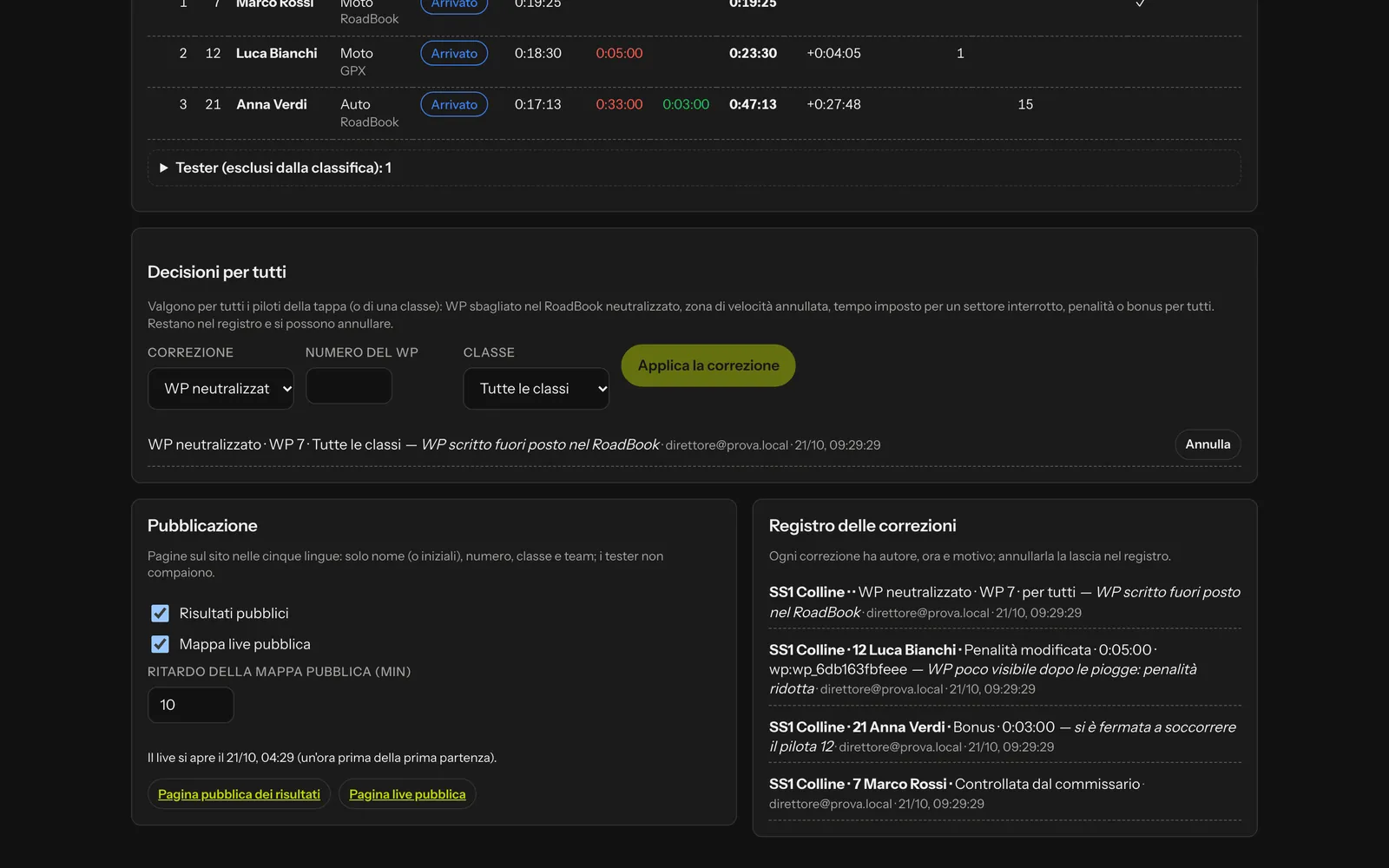 Decisions for everyone, publication and the corrections log.
Once the race data have been deleted (after the 3 years of retention) the classification remains, but it is no longer recalculated and no more decisions can be taken: there are no tracks left to look at.
Public pages
In the Publication panel you switch on:
- Public results: the classification on the website in five languages, updated automatically;
- Public live map: the positions with a short trail and a delay of your choice (default 10 minutes), never the roadbook track.
The public pages show only name (or initials, if the rider has asked for it), number, class and team: no email, age or gender, and testers never appear. They work for public or unlisted events.
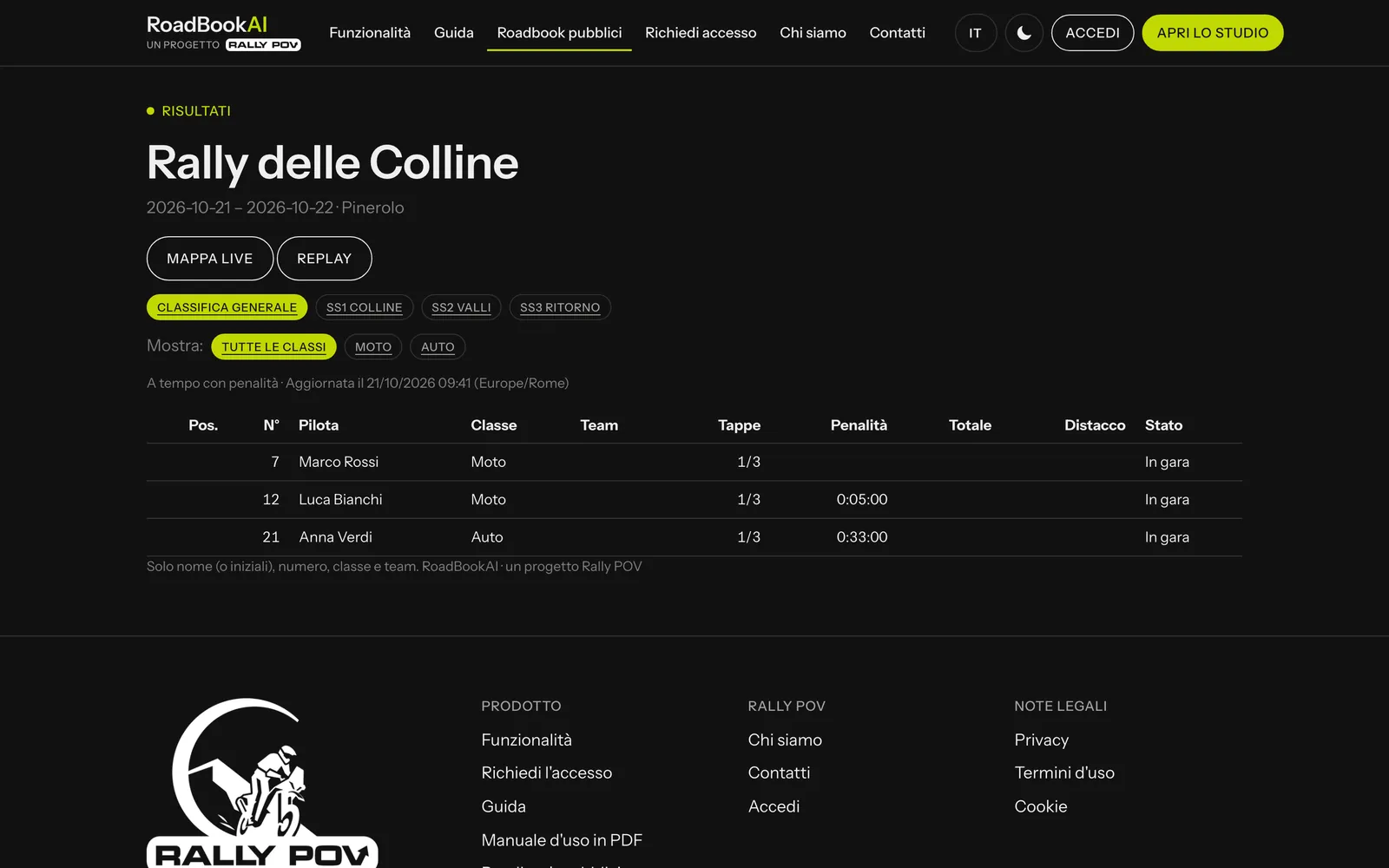 The public classification: people looking at it do not need an account.
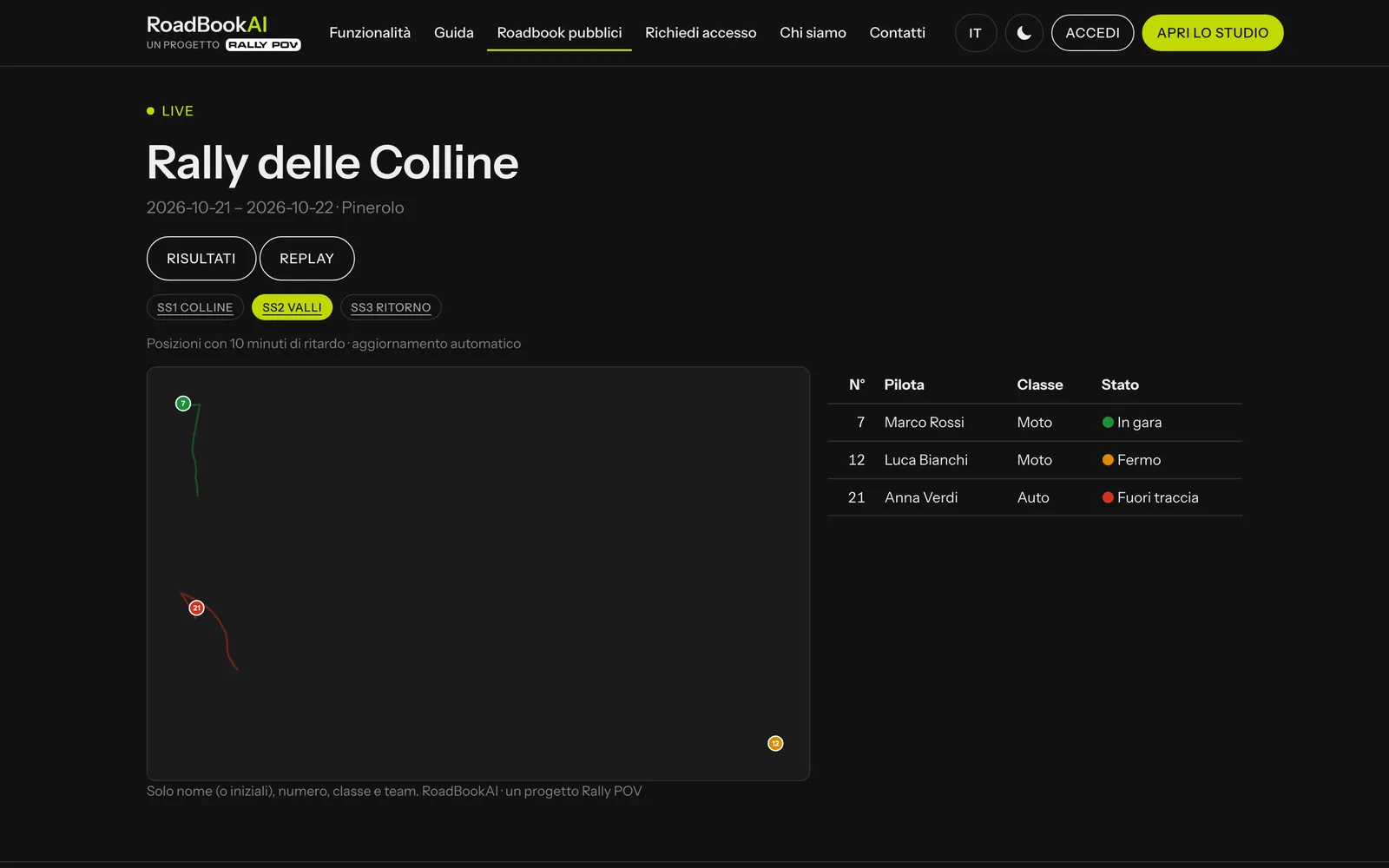 The public live view: delayed positions and rider status.