

Organising an event
Organiser profiles
For the organiser and the tutor - saving your own profiles of waypoint radii and rules under a name, starting from FIM W2RC 2027 or Training, and applying them to roadbook generation, to RoadBooks already generated, to events, stages and training groups.
Every race has its habits: a slightly wider validation radius on WPMs, a different penalty for the race STOP, a Thursday training session with softer rules. Instead of entering the same values again for every stage, you save them once in a profile with a name and apply it wherever you need it.
There are two kinds of profile, on the same Profiles page:
- radius profiles: for each of the 16 waypoint types the opening radius (or "always open"), the validation radius, whether it opens after the previous one and, if you wish, the penalty;
- rules profiles: all the stage rules (classification, penalties, speed, race STOP, neutralisations, maximum time, unlocks, LateNote, automatic scrolling, regulation mode, starting order…). A rules profile can include a radius profile.
System profiles and your own profiles
| Profile | What it is | Can it be edited? |
|---|---|---|
| FIM W2RC 2027 | the values of the W2RC regulations: radii and penalties from the waypoint table, speed bands, neutralisations, unlocks with a code, maximum time; it is the default profile for race stages | no, it is duplicated |
| Training | the same types with validation radii 50 % wider and no penalties; race rules are off and are switched on one by one | no, it is duplicated |
| Your profiles | created from one of the two, with a name of your choice ("Lamas Rally 2027", "Thursday training") | yes |
System profiles always stay the same, so you have a safe reference: to change them press Duplicate and edit the copy. Only you can see your profiles; duplicate names, or names identical to the system profiles, are not allowed.
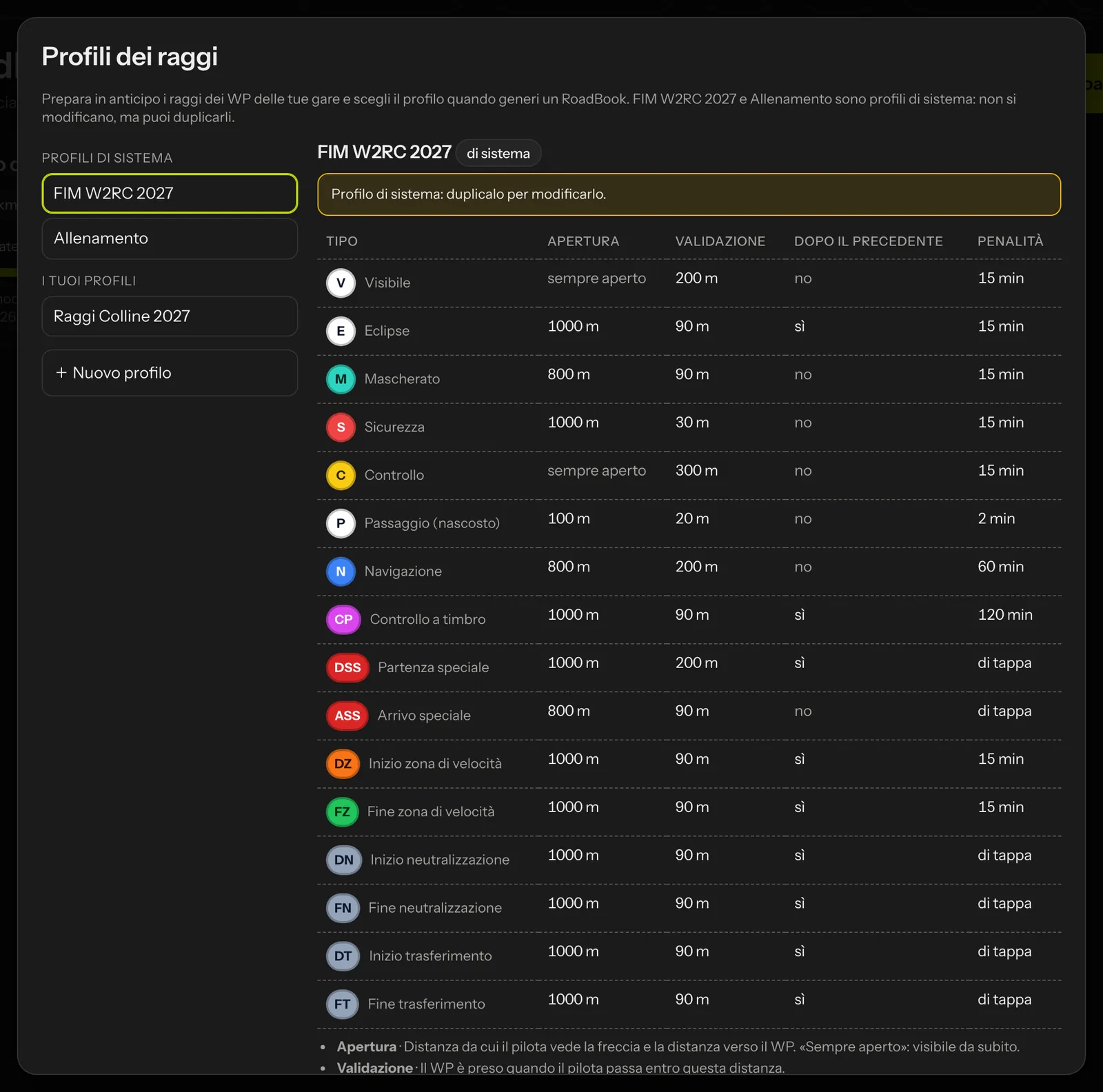 Radius profiles: on the left the system profiles and your own, on the right the table of the 16 types.
Where they open
- Radius profiles: from the Studio library (Radius profiles), from the New roadbook window (Manage profiles) and from the WP radii window in the editor.
- Rules profiles: from the Stages tab of an event (Rules profiles) and from the rules window (Profiles… next to the profile choice).
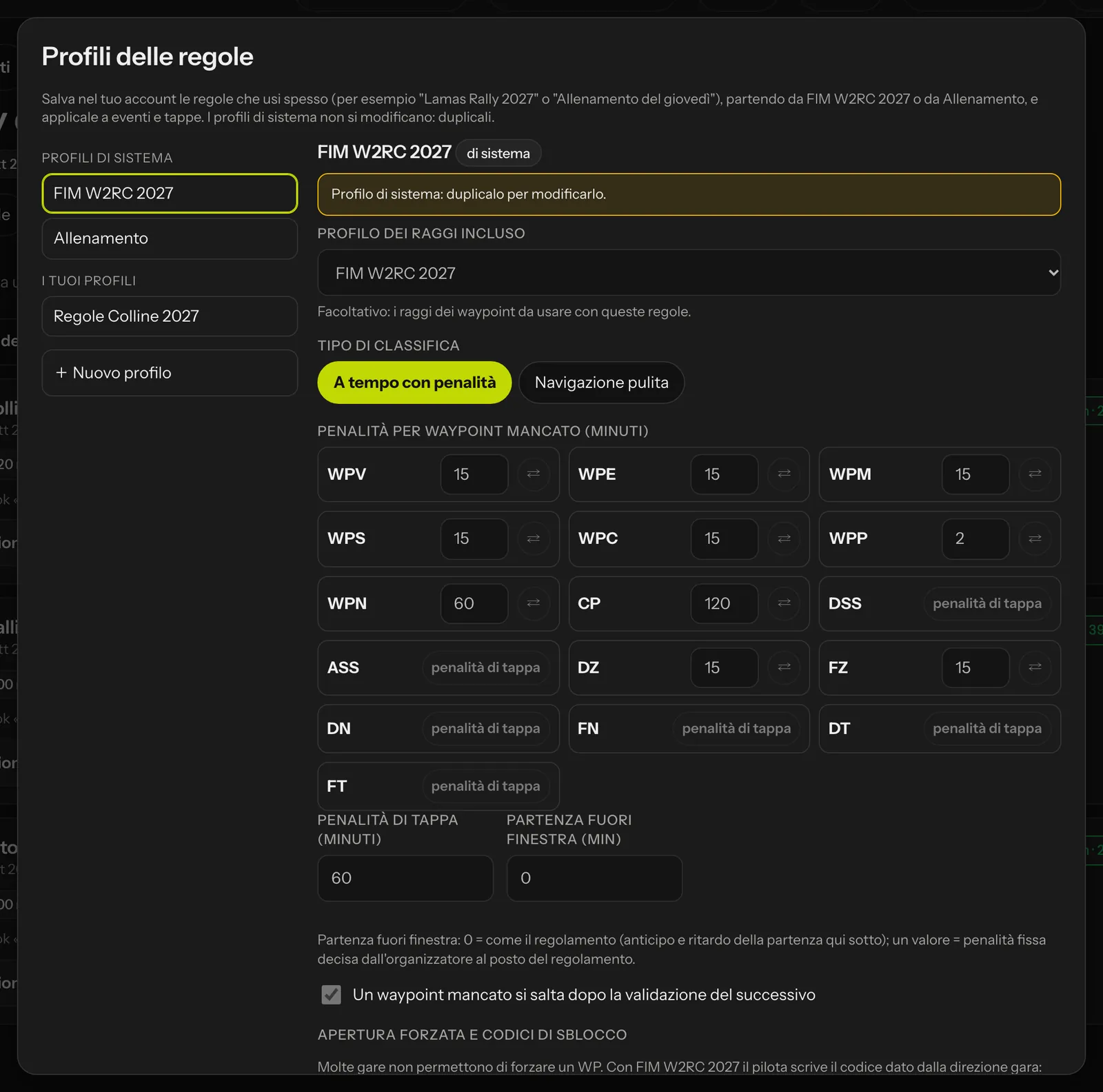 Rules profiles: the included radius profile and all the rules, with the explanations.
Where they apply
- Generating a roadbook: in the New roadbook window choose the profile under Waypoint radii and penalties; Radius preview shows the table and Edit before generating lets you change a few values (the changed types are highlighted) for this generation only, or Save as a new profile. The waypoints you add later, in the Studio or from the recce, are created with those radii.
- A RoadBook already generated: in the editor, WP radii opens Apply a radius profile: to all types or to one type only, with a live summary ("N WPs out of M change"); with Leave the WPs with hand-written radii as they are, the waypoints you changed yourself stay as they are.
- An event or a stage: in the rules window choose the Rules profile; the values are copied into the stage and can still be changed one by one. If you change any, Modified appears next to the profile. Event rules gives the starting rules for new stages and can be applied to all stages.
- A training group: the tutor chooses the group's Training rules (see Replay and tutor groups).
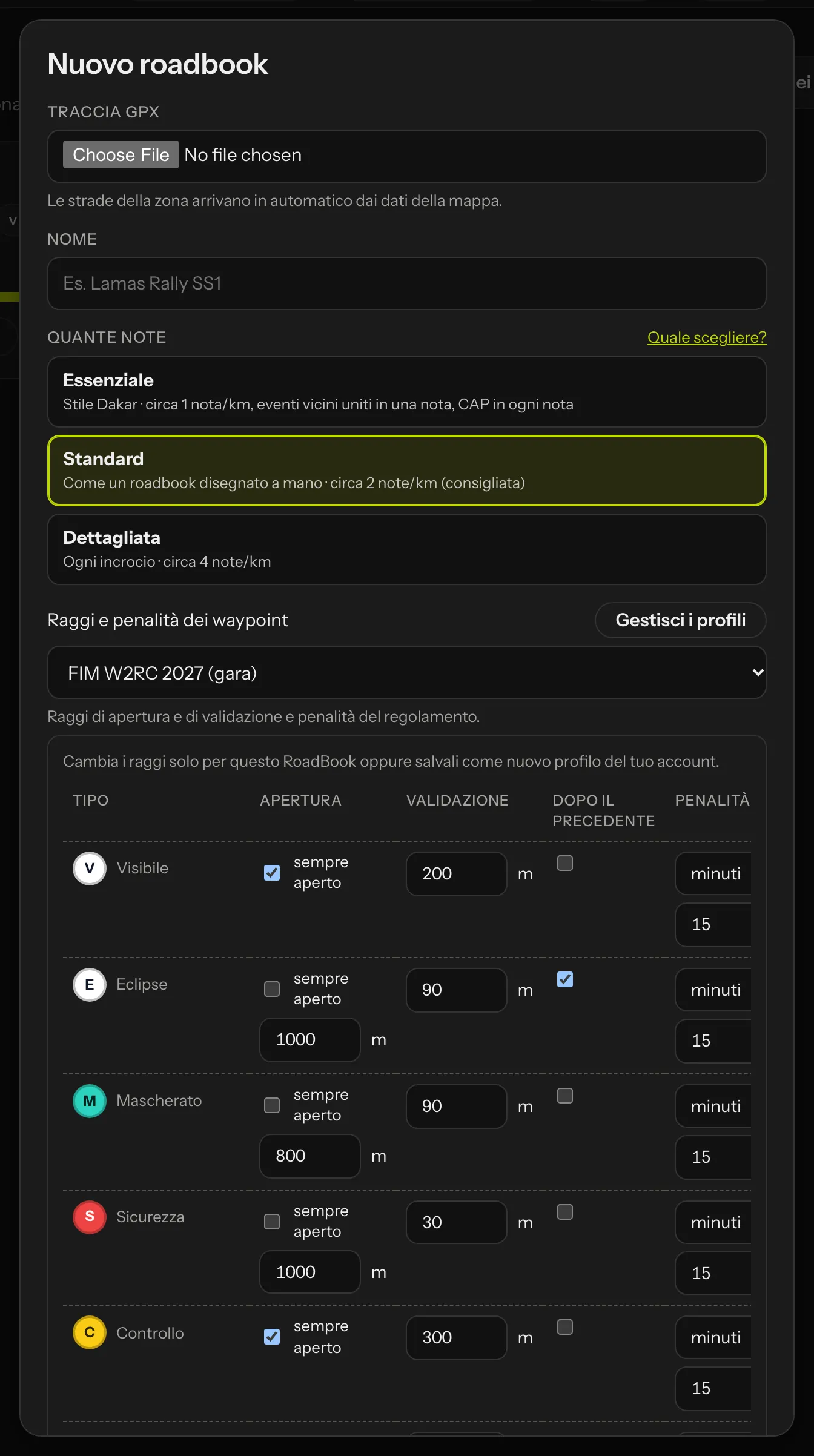 Edit before generating: the radii for this generation, or a new profile.
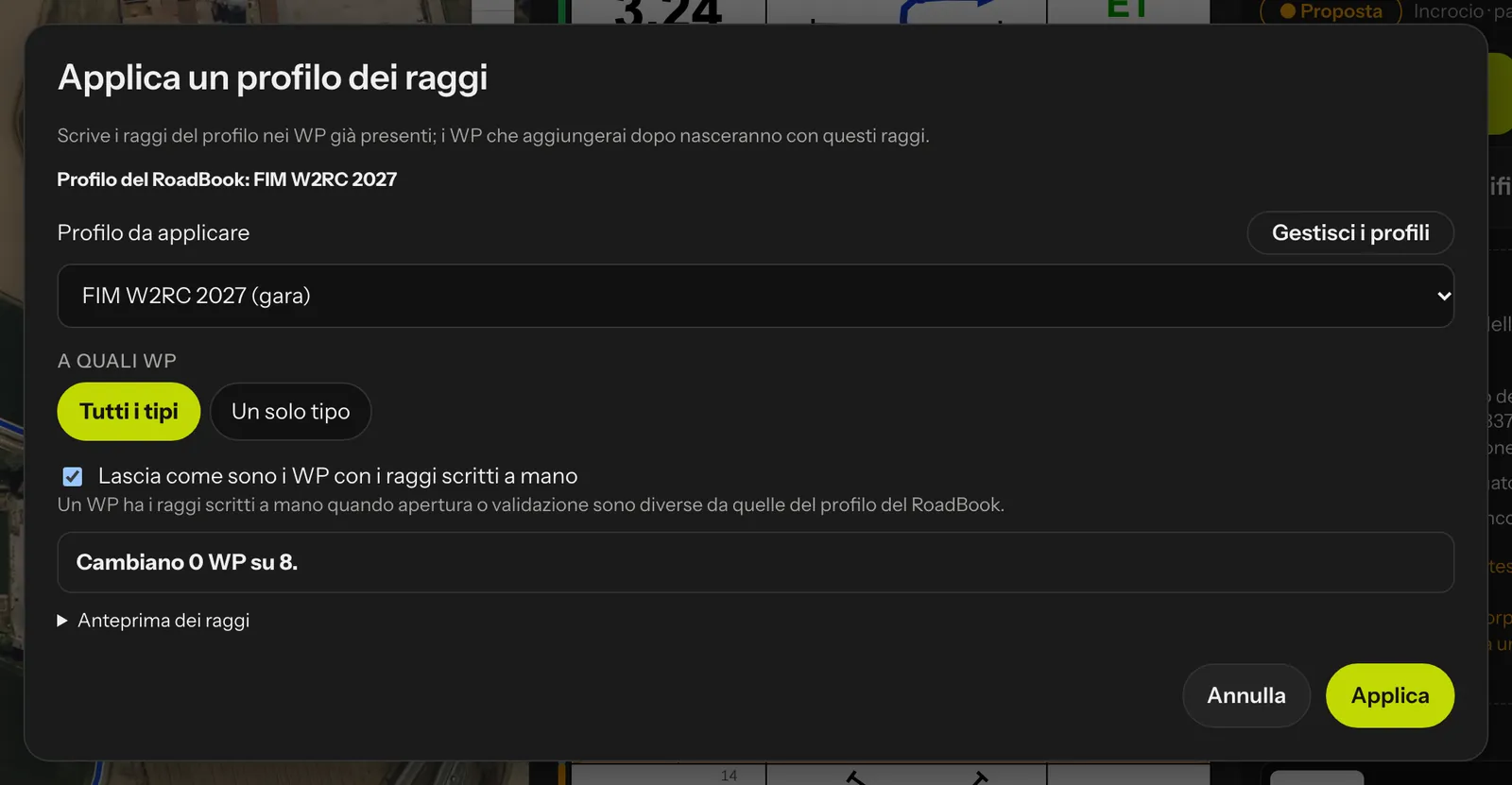 Apply a radius profile to a RoadBook that is already finished.
The profile stays written
The applied profile stays written in the stage and in the RoadBook, with its name and all its values: if you later change or delete the profile, a stage already published does not change by itself. To update it, you apply the profile to the stage again. The name of the profile travels in the stage package and appears on the first page of the PDF, in the library and in the editor header (unless it is FIM W2RC 2027 without changes), in the rider report and in the replay: anyone looking always knows which rules the race was run under.